Building Fluxgate: live radio shaped by solar wind
How I built Fluxgate using solar wind data, Google Lyria, and AzuraCast, with a Rive play button and themes inspired by aerospace.
By Dave Sebek

How Fluxgate works
Fluxgate is a radio station that uses solar wind data to influence music as it’s generated. Wind speed, proton density, and the magnetic field’s north-south component control parts of the sound. Open the station, press Play, and you join the current broadcast.
I used NOAA’s solar wind measurements to steer music generated by Google Lyria RealTime, then broadcast it through AzuraCast. A Node.js producer runs the music session and sends the generated audio to the broadcast server. The website combines the player with current readings and charts so you can see the data influencing the music.
I chose which musical controls each measurement would affect and how far it could move them. Those mappings vary by preset. There’s also a delay as the application collects readings, generates music, encodes it, and buffers playback.
Mapping solar wind data to music
Laravel fetches NOAA’s one-minute wind and magnetic-field feeds, validates the readings, and caches the response for 60 seconds. I store the observation timestamp separately from the time the response was fetched. A successful request can still contain old data. NOAA’s solar-wind page explains the measurements.
Each reading has to come from an active source with a good quality flag. Required values must be finite numbers within valid ranges. The application rejects missing-value sentinels, which are placeholder values that indicate a missing measurement. It also rejects future timestamps, removes duplicate timestamps, and sorts the readings to select the latest one.
The default Ambient Electronic preset uses three mappings:
- Proton density → note density. Higher proton density raises Lyria’s density control for a busier arrangement.
- Wind speed → brightness. Faster wind raises the brightness control.
- Southward Bz → texture weight. A more negative north-south magnetic-field component increases the weight of a tense, evolving texture prompt.
In this preset, wind speeds from 250 to 800 km/s map to brightness values from 0.20 to 0.85. At 525 km/s, halfway through the input range, the target brightness is 0.525. Readings outside the range are clamped to the minimum or maximum.

01 / Example wind-speed mapping for the Ambient Electronic preset.
Control values ramp to each new target over ten seconds so the sound changes gradually. If a reading is missing or more than ten minutes old, the automation holds its last value. A gap in the data feed shouldn’t turn the controls down to zero.
The ranges vary by preset. Deep Space uses narrower density and brightness ranges, while Celestial Strings disables the texture mapping entirely. Each preset defines how much the telemetry can change its sound.
Lyria RealTime accepts changes to its generation controls and weighted text prompts during a session. Fluxgate sends density and brightness as configuration values. Texture controls the weight of an additional prompt. Tempo and scale stay at the preset’s values.
Building a shared radio broadcast
The website uses Laravel, Inertia, and React. A long-running Node.js process manages the music session and broadcast. Each visitor’s browser plays the public audio stream.
I kept generation on the server so visitors could listen to the same broadcast. Starting a Lyria session for every visitor would generate separate pieces of music and increase the generation work with each listener. Browser buffering still introduces differences in playback timing, so listeners won’t necessarily hear the same moment at exactly the same time.
The audio follows this path:
- Lyria sends stereo PCM chunks to the Node producer.
- The broadcast layer checks the audio format and queues the bytes.
- FFmpeg encodes the audio as a 192 kb/s MP3 stream.
- The producer sends it over a secure WebSocket to AzuraCast’s Web DJ endpoint.
- AzuraCast serves the public HTTPS stream to browser audio players.
The WebSocket connection avoids a problem with sending an indefinite HTTP upload through a proxy: the proxy can buffer the audio instead of passing it through as it arrives. AzuraCast’s streaming documentation covers its broadcasting options.
Generation starts when the first listener arrives at an idle station. The producer uses that listener’s requested preset. Anyone arriving afterward joins the active broadcast without changing its genre. After a minute without listeners, the producer stops the session. That gives someone time to pause and return without starting everything again.
Buffering the audio stream
Lyria can deliver audio in bursts. The encoder needs a continuous supply, so I added a queue between generation and encoding. The queue also needs a limit because excess audio would keep adding delay to the broadcast.
The broadcast layer primes with six seconds of audio. FFmpeg reads at real-time speed, and the producer monitors the buffered duration across the PCM queue, encoder streams, and WebSocket upload. Above eighteen seconds, it pauses generation. Below twelve, it resumes. A separate thirty-second buffer limit catches a pipeline that has stopped draining.
Using separate pause and resume thresholds keeps the producer from repeatedly toggling when the buffer is close to a limit.
These limits cover the producer’s buffers. AzuraCast and the browser add their own buffering, so the numbers don’t describe the total delay a listener hears.
Handling playback startup
On a cold start, the music session has to connect and generate enough audio to fill the buffer. AzuraCast then needs to recognize the live source. During that interval, the stream URL can respond successfully before it carries the new broadcast. The player has to wait for confirmation that the source is live.
I added local voice clips and a quiet pulse to cover that startup period. The public stream stays muted. Once the producer confirms the broadcast is live, the player reconnects to discard audio buffered before that confirmation. It waits for the browser’s playback event, finishes the “Streaming now” cue, stops the pulse, and unmutes the stream at the selected volume.

02 / Playback startup, from pressing Play to unmuting the broadcast.
Pressing Play, Pause, and Play again before startup finished exposed another problem: overlapping /listen requests.
The server already prevented a second generation session from opening. The browser still submitted another request while the first was pending. I fixed that by sharing the pending promise across playback attempts. Pausing stops the local player while keeping track of the startup request.
Each playback attempt has an identifier. A late response or audio callback checks that identifier before changing the player state. This prevents an old request from restarting playback after the listener has stopped it.
Pressing Play after the earlier request has completed sends a new join request, which renews the producer’s listener grace period. The producer checks whether it needs to start a broadcast or keep the existing one running.
Regression tests cover rapid toggles, delayed responses, failed requests, and simultaneous listeners arriving during startup. They check that the player reuses its pending request, the producer opens a single generation session, and new listeners don’t reset an active broadcast.
From a notebook sketch to a Rive control
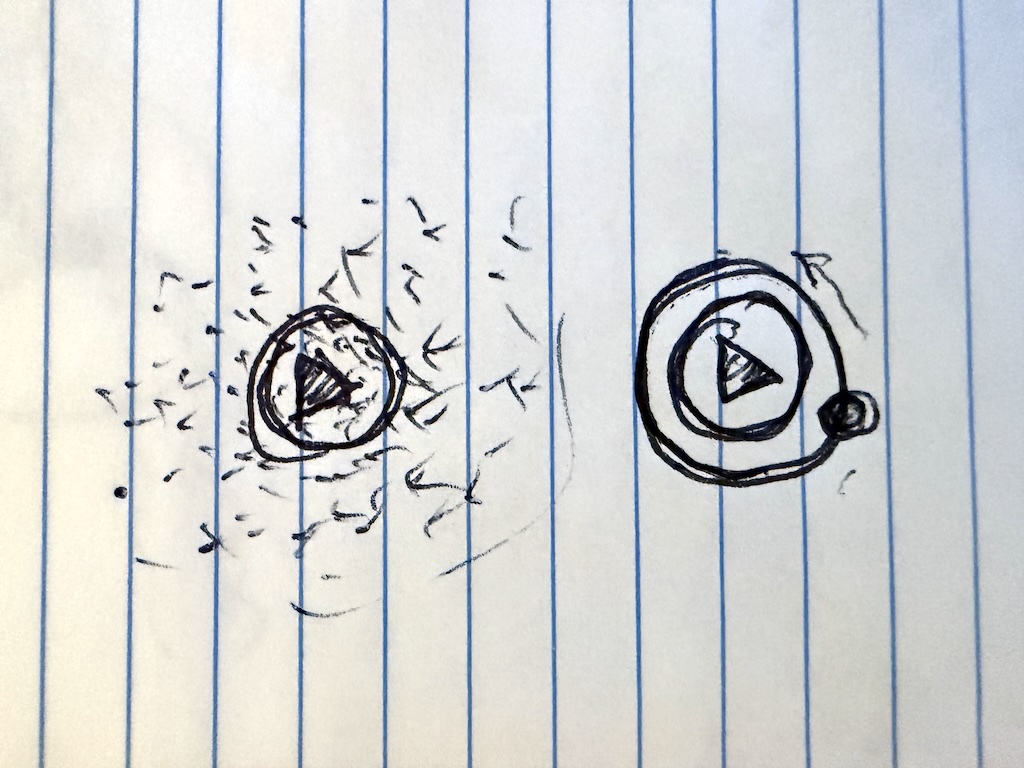
I started with a sketch of a particle cloud around a Play button and an orbit around the same center.
I kept the earlier artboards as I worked on the animation in Rive. The versions include Wave Morph, Vortex, Wide Vortex, Accelerating Collapse, Faster Response, Particle Ring Morph, and Separate Colors.
The early cloud looked like overlapping planes of particles. I wanted it to have depth. The vortex versions used orbits with particle size and opacity changing between the near and far sides. Wide Vortex spread those orbits farther out around the button.
Later versions focused on how quickly the animation responded to a click and how the particles gathered inward. In Particle Ring Morph, the cloud’s particles form the ring shown while the player connects.
04 / Interactive Rive demo. Change the state and colors to try the animation.
Separate Colors added independent buttonColor and particleColor bindings. This lets the button stay white while the particles use the selected theme’s accent color.
React passes hovered, connecting, playing, and bpm into the Rive view model. Keyboard focus gives the button the same emphasis as hover. The player decides when audio is ready and updates the animation’s state. The pulse follows the preset’s tempo rather than analyzing the audio waveform.
The canvas sits inside a regular HTML button that handles clicks, keyboard focus, the accessible label, and the busy state. Static icons replace the animation when reduced motion is enabled or the Rive file fails to load.
Themes inspired by leaders in aerospace
I based five of the themes on aerospace organizations: monochrome for SpaceX, red over navy for NASA, cyan for ESA, blue for JAXA, and orange for ISRO.
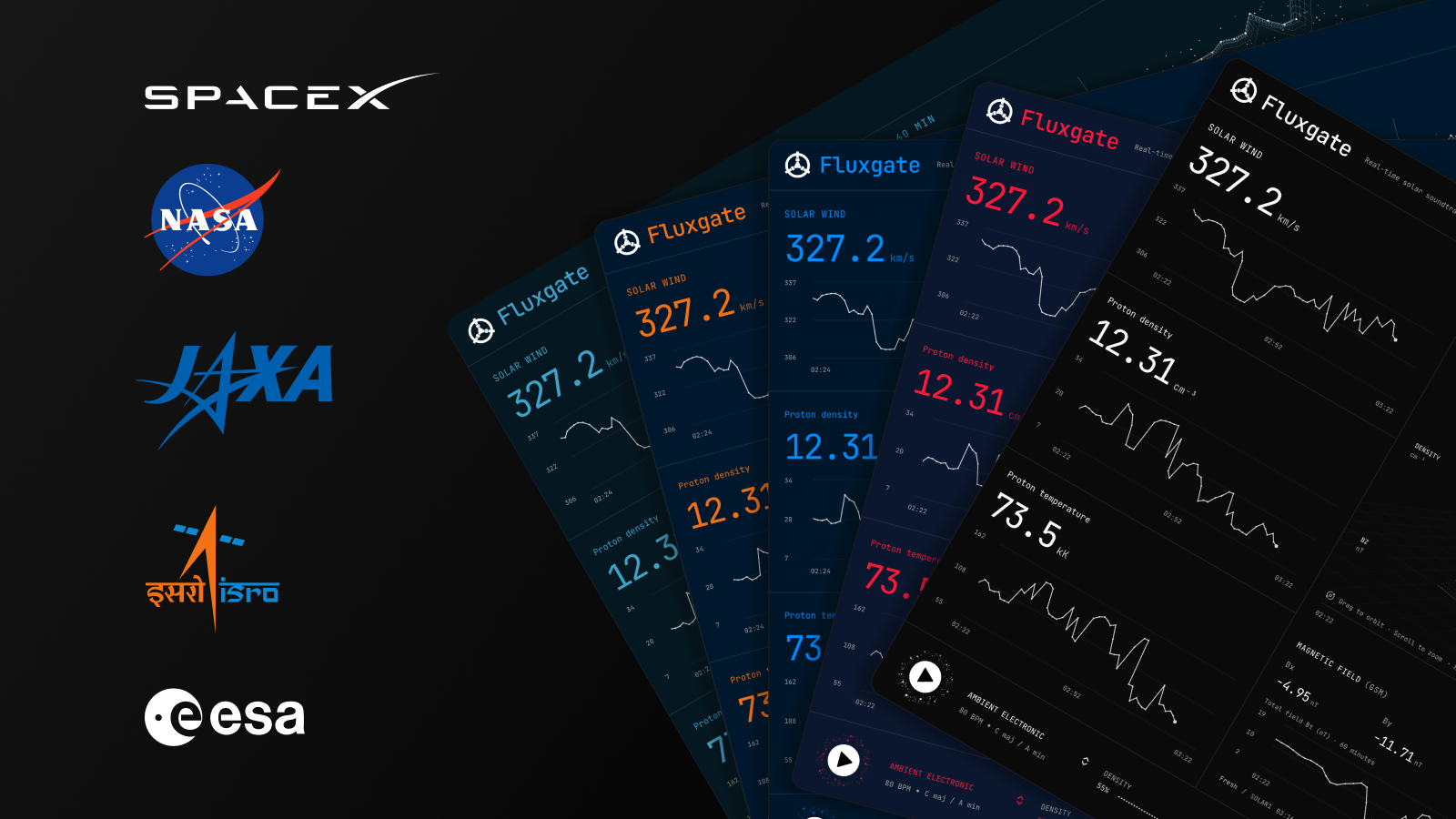
05 / Fluxgate themes inspired by SpaceX, NASA, ESA, JAXA, and ISRO.
There are three other themes: Schema, Terminal, and HUD. Terminal uses green on a dark background, and HUD uses red on black. All eight share the same typography and layout. Changing the theme leaves the music preset and telemetry unchanged.
A data-theme attribute on the document selects a set of CSS color tokens that the components inherit. The application validates the selected theme name and saves it in local storage. Theme switching still works for the current page if storage is unavailable.
Rive needs the colors passed in explicitly. To handle the stylesheet’s OKLCH values, I let the browser resolve each color on a one-pixel canvas, read back the RGBA value, and pass it to the Rive view model. Theme changes update the button and particle bindings.
Opening the theme picker also triggers a single orbital spin. That animation is disabled when the visitor prefers reduced motion.
Deploying the producer
The first deployment ran into a Node compatibility problem: the production runtime didn’t support a flag in the producer command. Fixing that got the process running, but it still couldn’t produce audio. The environment pointed to my development machine’s macOS FFmpeg path, and FFmpeg wasn’t installed on the Linux server.
After installing FFmpeg and correcting its path, I sent a listen request and checked that the producer was live and AzuraCast had a live source. I then retrieved the stream and decoded it to verify that it contained non-silent audio.
Listening to Fluxgate
The broadcast brings the solar readings and the music together. You can watch the wind speed, density, and magnetic field change while listening to the sound they influence. I kept their influence gradual and limited to each preset’s ranges. When the data stops arriving, the music carries on with the last control values.
You can listen at fluxgate.fm.
- Generative audio
- Systems design
- Interaction design
- Rive
- Theming