Building Gourd to Death: a fighting game inside Rive
From pumpkin character art to a 3D fighter, with Rive state machines, a Luau combat engine, and build-time fixes for sliding feet and uneven motion.
By Dave Sebek

The idea: pumpkin monsters in a fighting game
I built Gourd to Death for Rive’s Halloween competition. I started with a simple idea: Mortal Kombat with pumpkin characters. I used GPU Canvas and the Rive CLI to build a game that could run in a browser, accept a game controller, and keep the game itself inside Rive.
I used the familiar fighting-game structure: a title screen, character selection, a matchup screen, best-of-three rounds, and a result. Street Fighter and Mortal Kombat were my references, with original pumpkin fighters and Halloween arenas.
The first plan was mostly 2D, with 3D accents for fireballs, glowing projectiles, mist, and impacts. I already had character art, arena images, logos, and screen mockups. As I worked on it, I moved the fighters into 3D and spent more time getting their animations to work with the combat rules.
I worked with coding agents throughout. I directed the artwork, controls, movement, and presentation, then used the previews to work through changes with the agents. A lot of that back-and-forth involved getting the characters to move and fight the way I wanted.
From character ideas to artwork
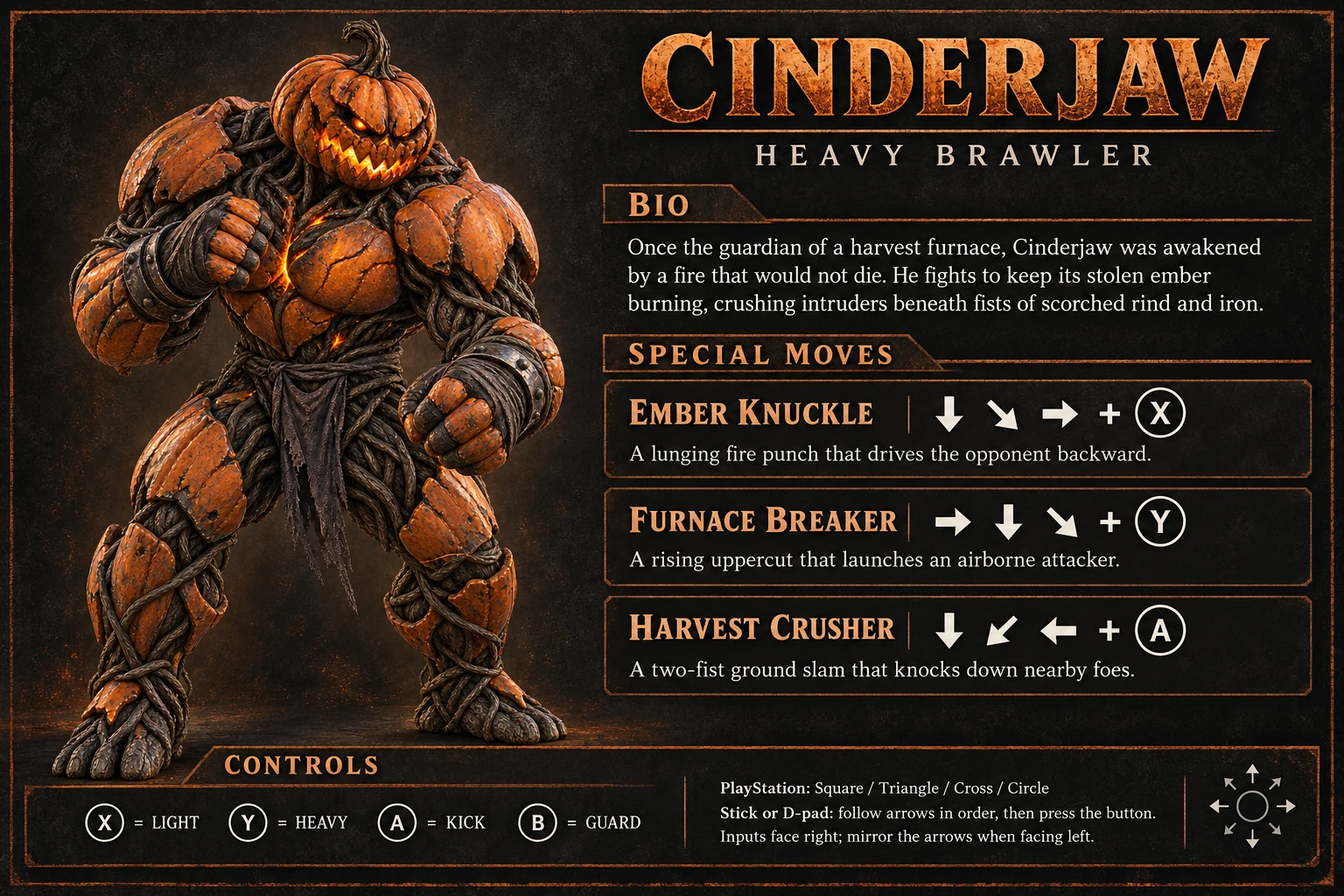
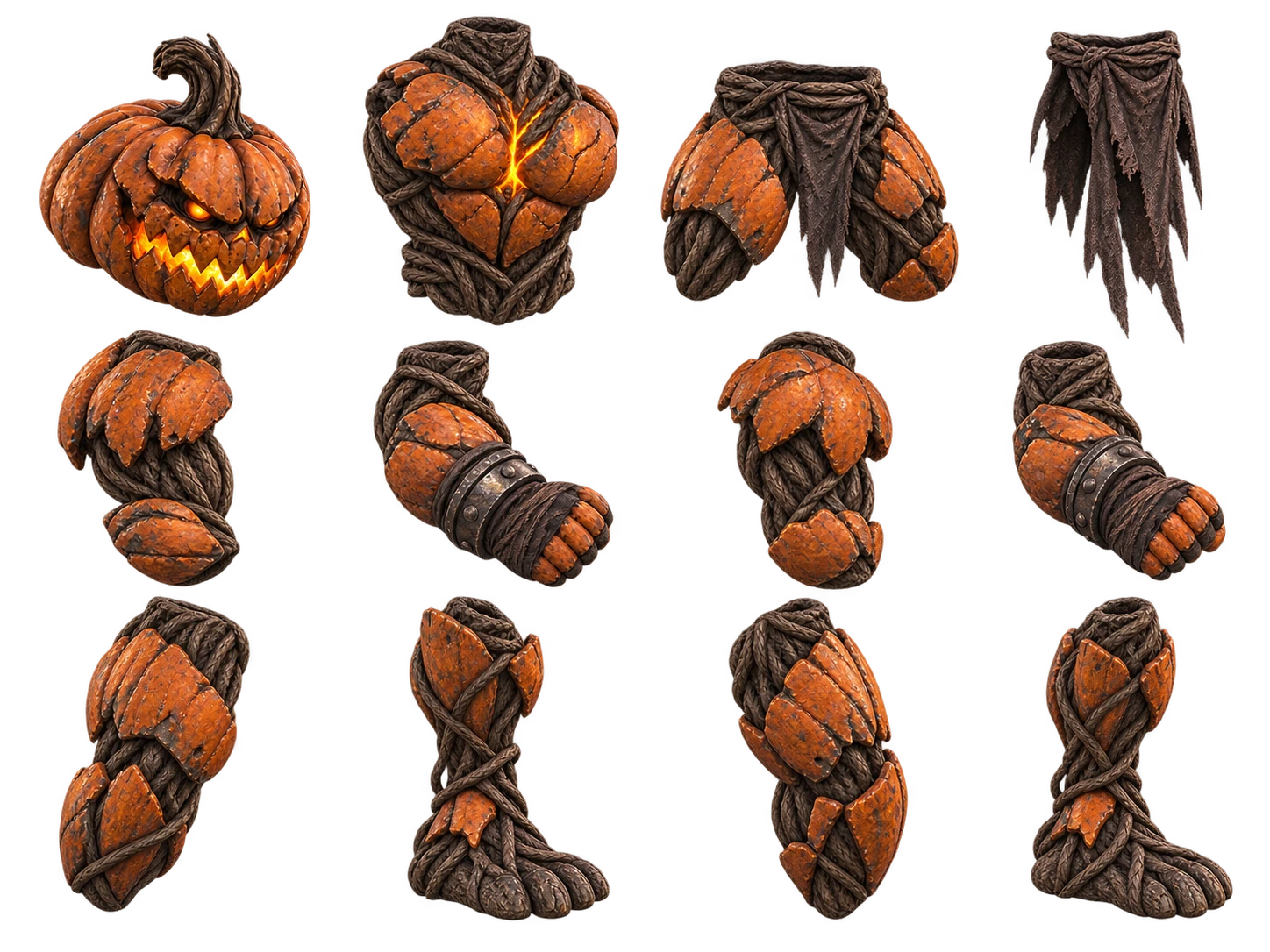
I started with character ideas and used the new GPT image model to generate the artwork. That included individual character illustrations, character sheets, arenas, and sprite sheets showing the fighters in different positions. I worked out the look of the game in those images before moving into modeling and rigging.
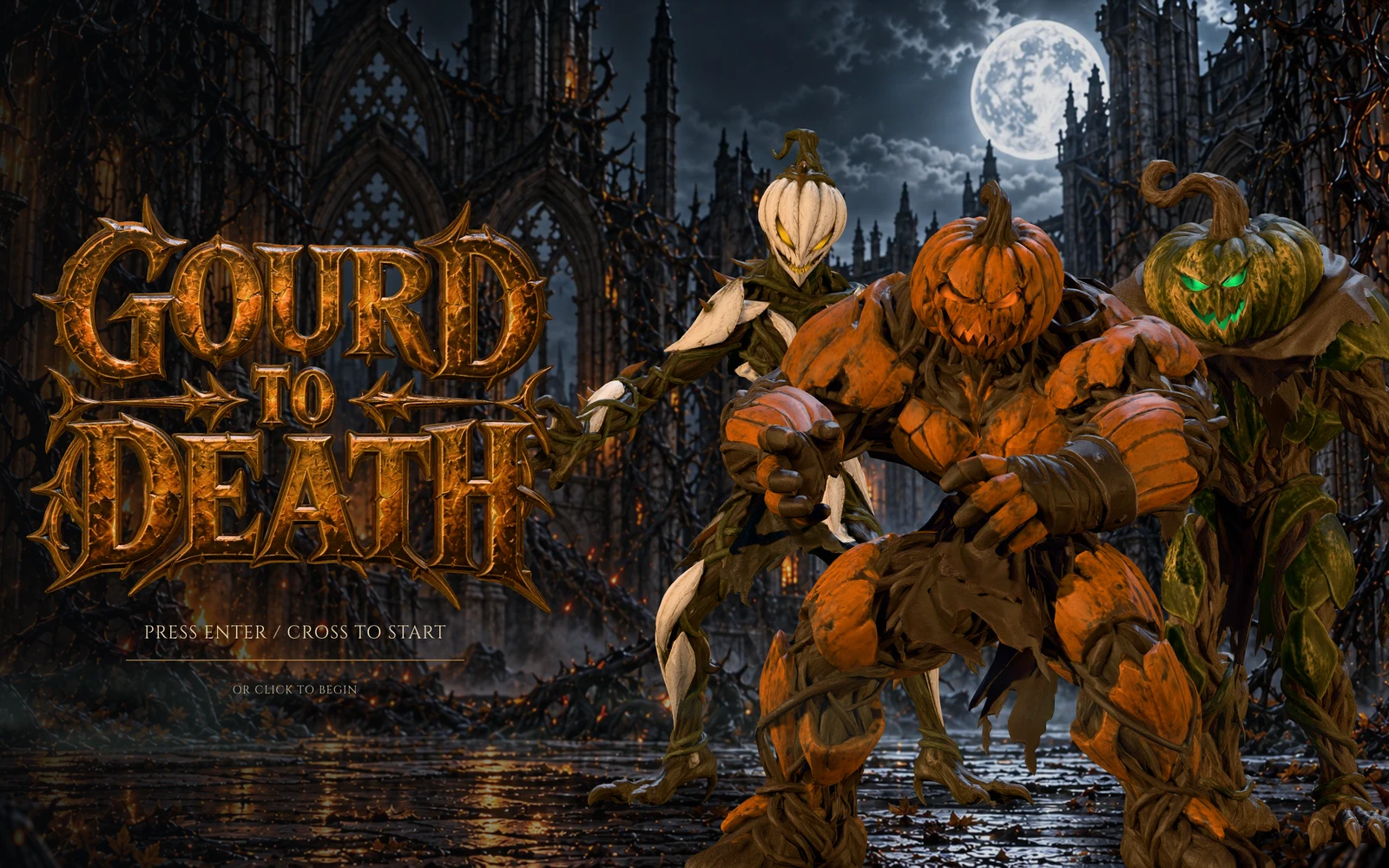
Cinderjaw, Hexgourd, and Briarthorn gave the game three distinct silhouettes. Cinderjaw is broad and armored, with orange pumpkin plates and a furnace-like glow. Hexgourd has a green, weathered body wrapped in roots and cloth. Briarthorn is pale, narrow, and covered in thorns.
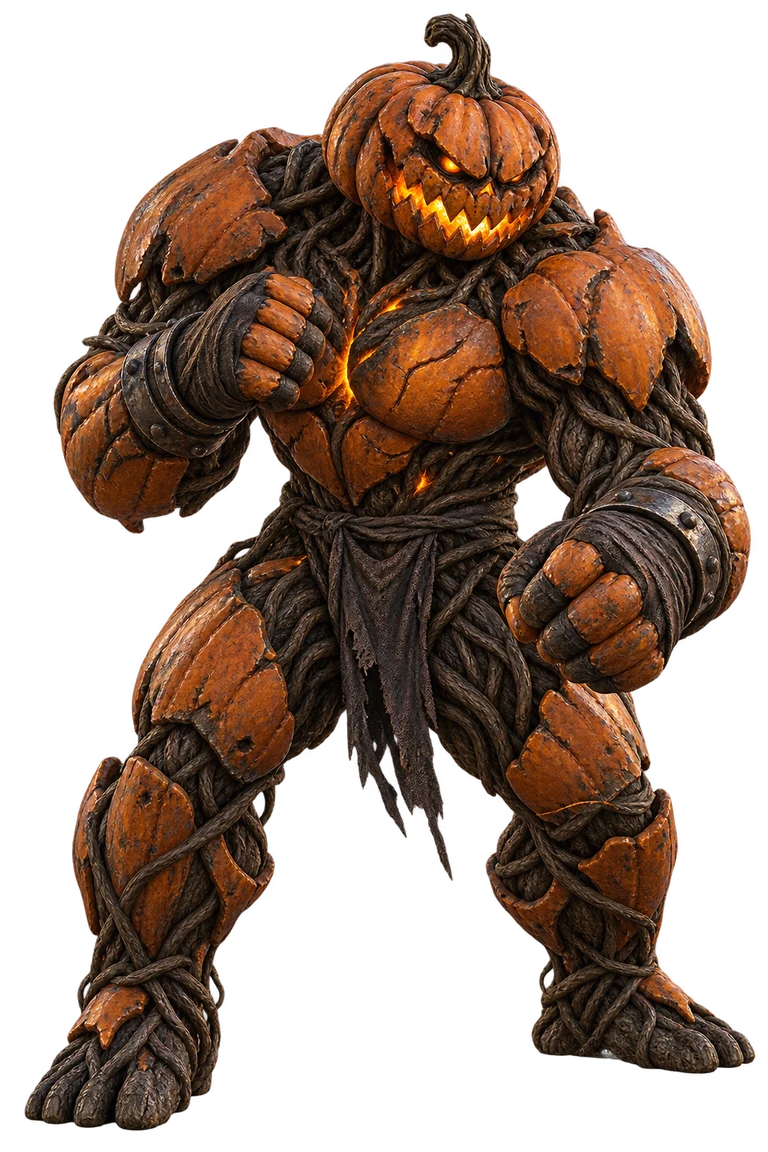
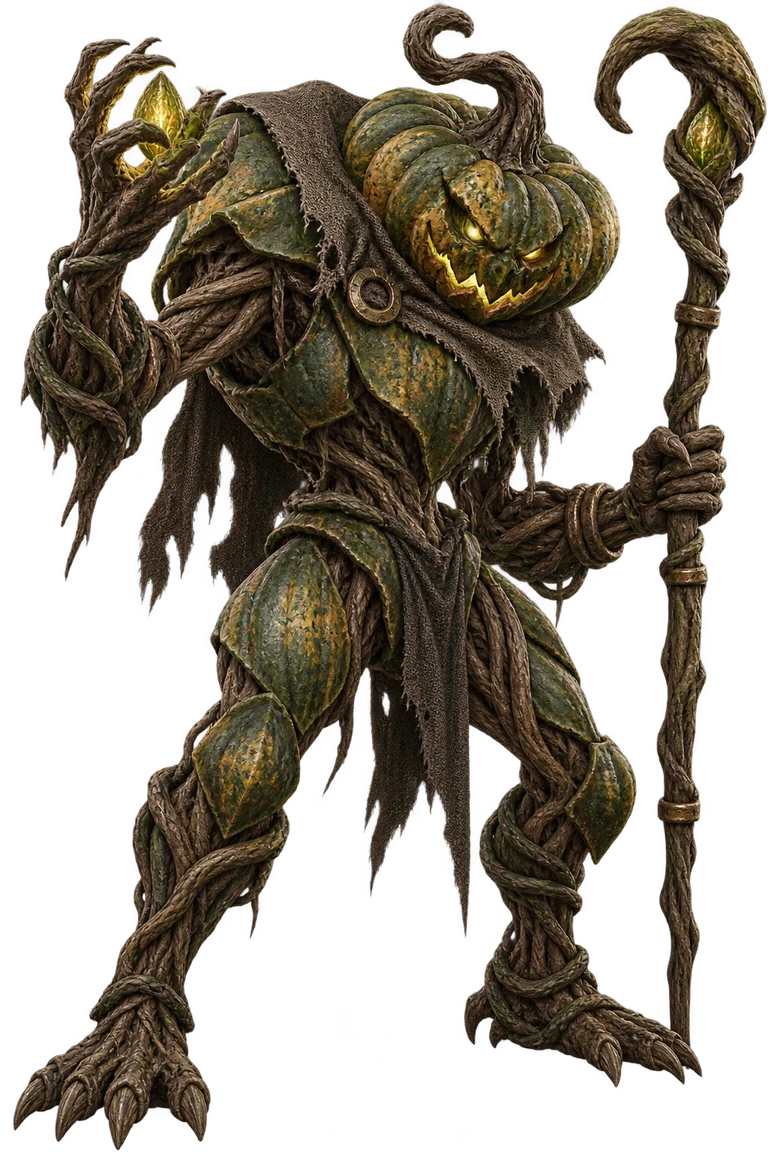
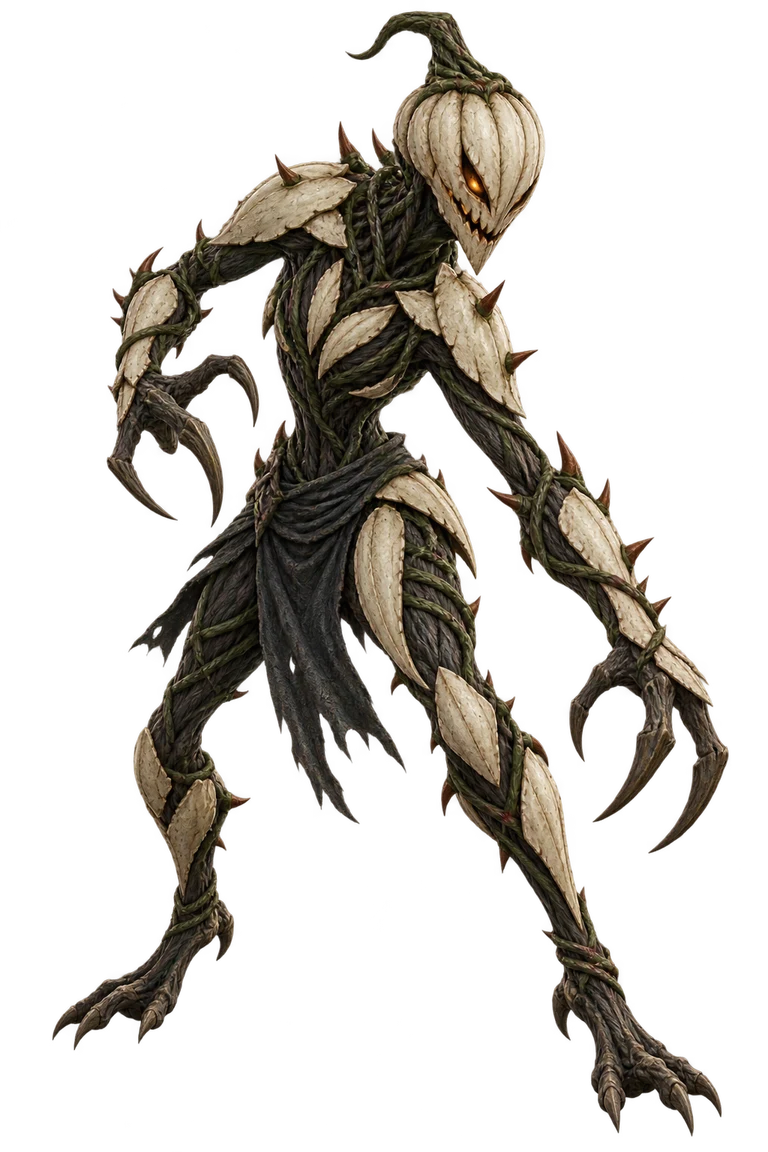
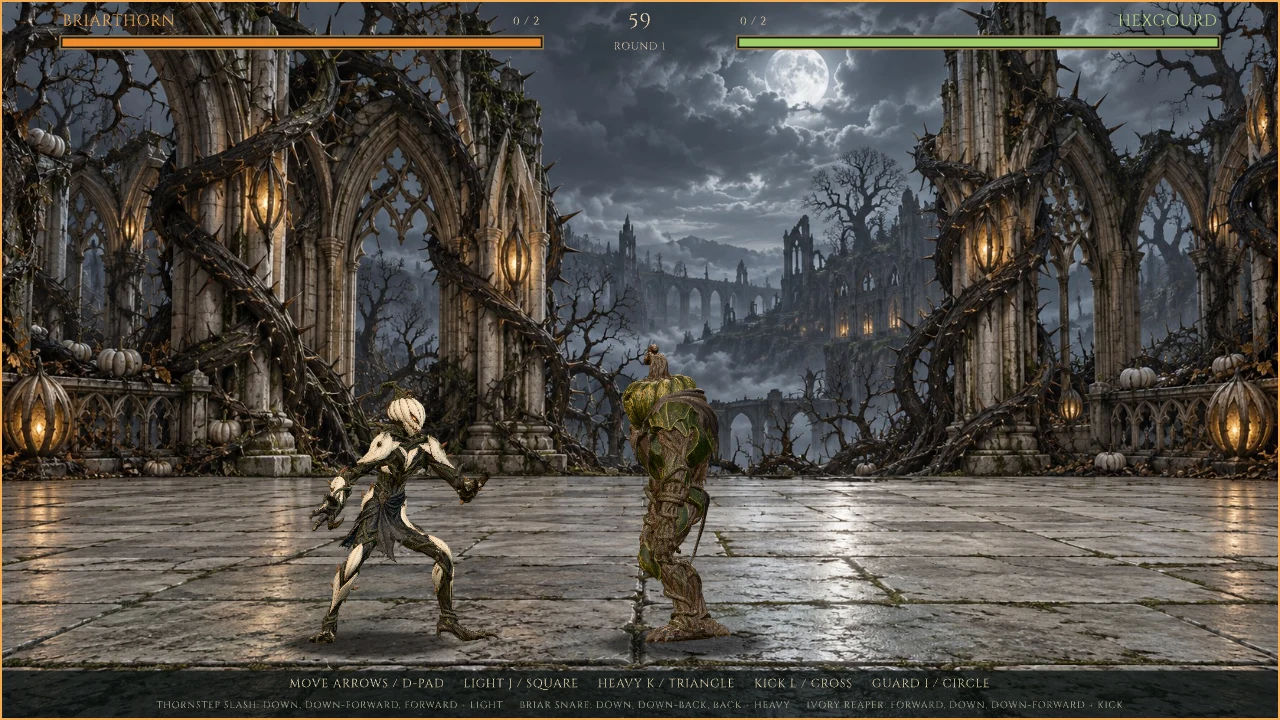
I used the character sheets to work out each fighter and their moves, and the position sprite sheets to prepare the 2D assets. I also generated an arena for each fighter and used its artwork to guide the lighting and effects: heat and molten metal for Cinderjaw, green light and water reflections for Hexgourd, lanterns and rising mist for Briarthorn.
From the first round to 3D fighters
The first version I could play was a single 60-second round as Cinderjaw against Hexgourd. The fighters used editable Rive bone rigs, weighted image meshes, and authored timelines. Combat and AI already ran in Luau at a fixed 60 Hz. I then added Briarthorn, character selection, and best-of-three matches.
I then took the character illustrations into Meshy, converted the images into 3D models, and rigged the models there. I added some of Meshy’s default animations and exported the rigged characters and clips as GLB files. I kept the arena images as backgrounds and used the character illustrations as the source for the 3D fighters.
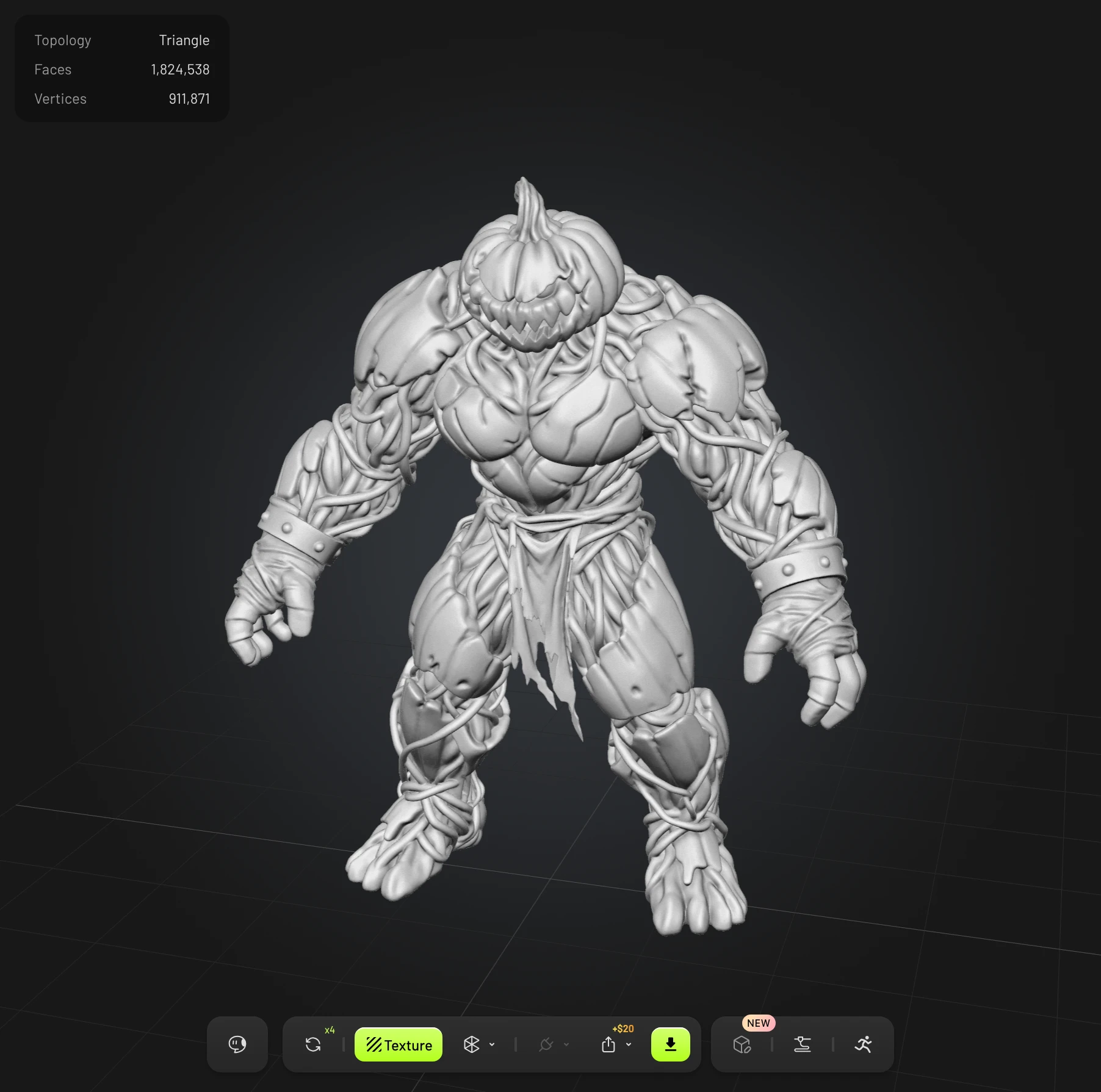
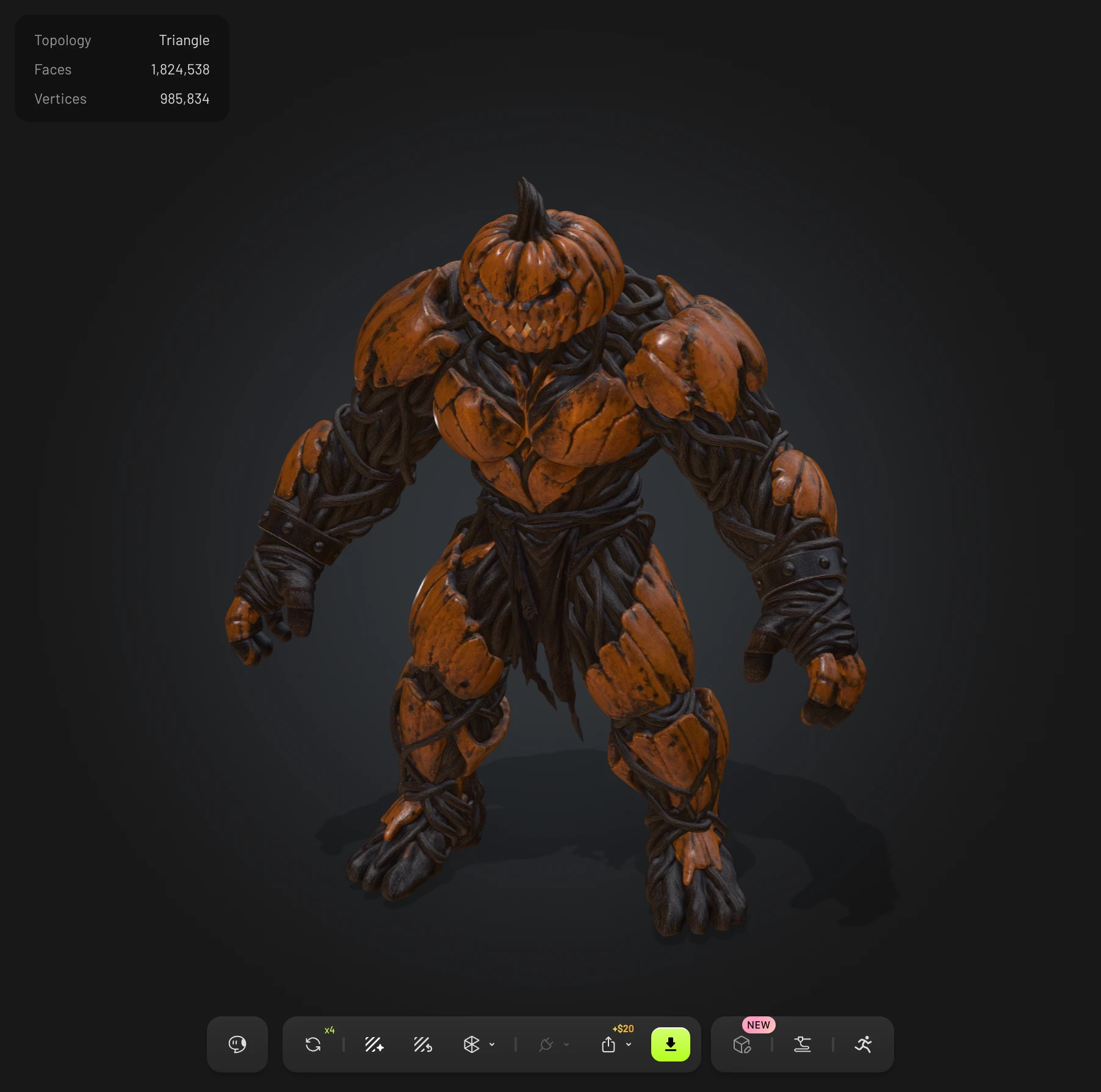

After bringing those exports into the project, I set up a processing pipeline to bake the assets for Rive. Each fighter has a base model with a mesh, materials, and a 28-joint skeleton. Animation clips live in a separate library. The build applies clips to those characters, including fitting a donor’s motion to another fighter while preserving the receiving character’s proportions.
Three.js does part of this work at build time. Its GLTFLoader and AnimationMixer read and evaluate the exported assets. Baking samples the animation into tracks of joint positions, rotations, and scales that the game can read back. The pipeline also prepares the mesh geometry and textures, then writes the model data used by Rive. As the animation problems became clearer, this stage grew to repair clips and generate ground-contact information too.
I use Three.js for asset preparation. The browser runs the game through Rive, using the baked assets and motion data rather than loading the original Meshy exports.
At runtime, Luau samples the joint tracks and blends between actions. Rotations use quaternion interpolation, which avoids treating a joint’s rotation as three unrelated angles. A WGSL shader applies the skin weights to deform the mesh and lights the result inside GPU Canvas.
The materials use color, normal, and metallic/roughness maps. The lighting adapts established Three.js physical-material and tone-mapping code, with its license retained in the project. Arena lights are authored separately because the lighting in Meshy’s preview isn’t part of an exported character.
Keeping the game inside Rive

The browser loads the Rive file and forwards keyboard, controller, and pointer input into View Model properties. Rive state machines own the screen flow, pause behavior, timed transitions, and whether a held button counts as a new press. Luau owns combat, AI, audio, and the scripted rendering work. Native Rive layouts provide the menus, panels, health bars, and text.
I used the native Rive preview to make visual adjustments without rebuilding and signing the browser version each time. I checked input forwarding, focus changes, controller disconnects, loading, and audio autoplay in the browser.
I eventually moved the interface onto native state machines and layouts. That made details such as pausing a countdown or preventing a held confirm button from skipping selection screens part of the scene’s own behavior. It also kept the interface editable as Rive content.
Making the animation agree with the fight
An attack needs a startup, a period when it can hit, and a recovery. The visible strike has to agree with those rules. Changing only the speed of a clip can leave the fist, hit window, movement, and sound describing different moments.
The motion sheet became the shared definition for those details. It assigns clips and source-time excerpts to actions, along with playback speed, contact markers, and sound cues. Combat converts the timings into simulation frames; the renderer samples the matching motion. Gameplay properties such as damage, guard height, and allowed cancels stay in the move definitions.
The final control layout has light, regular, and heavy punches and kicks. A normal attack that hits or is blocked can chain into a later attack in the defined order, or into a special. A miss can’t be cancelled that way. Hitstop briefly freezes both fighters on impact, and combo damage scales down as the string grows.
Tuning this by editing numbers alone was too slow. I asked for a separate screen where I could assign animations to buttons and adjust each fighter’s playback speed. That grew into the native Move Lab, which runs the actual combat simulation against a passive dummy. I can assign clips to individual inputs, trim their excerpts, adjust playback speed, and place hit and sound markers on a timeline. Startup, active, and recovery frame counts show how those edits affect the attack.
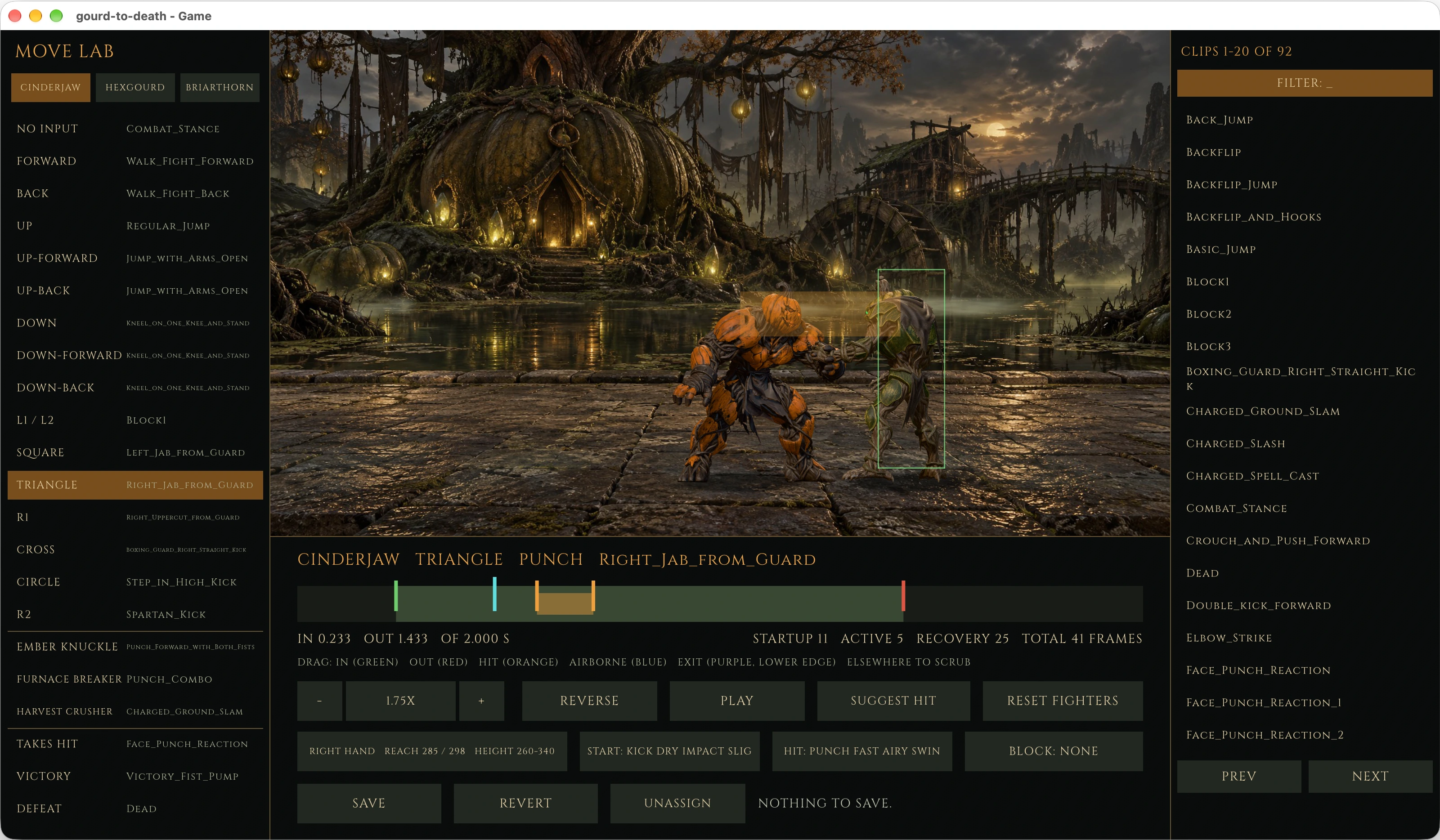
I used the lab’s suggested hit windows as a starting point, then adjusted them against the movement on screen. A hook can connect before the hand reaches its furthest point. Seeing the strike volume against the dummy’s target region helped me place the hit at the right moment.
Movement needs the same agreement. An in-place walk gets its travel speed from the motion of its supporting foot. Some attack animations move the whole character forward. That movement is called root motion. I use it to advance the fighter’s collision body, then subtract it from the displayed animation so the fighter doesn’t travel twice. Jumps have a gameplay trajectory tied to the clip’s takeoff and landing markers.
Finding the cause of the sliding feet
Ground contact became the most involved animation problem. Feet slid, bodies bobbed, and a fighter could appear lifted above the floor. Several fixes made the output smoother without establishing why it was wrong.

To track it down, I compared the untouched Meshy exports, the baked animation data, and the poses in the game. The bind poses put the feet on the floor. The animation exports did not. Some combat stances put the foot skin around 10 centimeters below ground. In the fight walks, the swinging foot could dip 12 to 16 centimeters under the floor, below the supporting foot.
The runtime had been treating the lowest foot as the reference for grounding. It also used height and vertical movement to decide whether a foot was planted. With these clips, the swinging foot could satisfy both rules. The engine lifted the body onto the wrong foot, then tried to hold that foot against the floor while it moved forward.
The correction moved into the build, where the whole clip is available. For a walking cycle, contact is classified from the foot moving backward against the calibrated travel. The build adjusts the root height smoothly, levels planted feet, and solves the legs so the soles reach their held positions. A swinging foot is raised only as far as needed to clear the floor.
That leg adjustment uses two-bone inverse kinematics, or IK: given a hip and a desired ankle position, solve the knee and lower leg while preserving the intended bend direction. Runtime IK still handles conditions the build can’t know, including blends between clips, hand contact, and a foot releasing as gameplay lifts the body.
The first version of the correction wasn’t enough. Following the foot-depth changes too closely moved the hips too much. Holding an unreachable foot pulled the body downward. Solving neighboring keys with inconsistent knee directions made the ankle wobble between them. Each needed a different correction.
Once those larger problems settled, smaller defects became visible. A landing foot moved sideways onto its held position over a few keys, causing a snap. Carrying that offset through the swing let it arrive where it would be held. Another stutter came from the original back-walk export: the pelvis drifted about 18 degrees and snapped back, twice per cycle. A narrow repair pass detects and reports those root snaps before the rest of the build reads the clip.
In the walking clips measured during that work, the worst single-frame hip jumps fell from roughly 4–11 pixels to 1.6–3.1 pixels. Motion of a foot classified as planted fell from about 600 pixels per second to under 30.
Building better ways to inspect the result
A full character rebake took minutes, which made it slow to work through one bad movement. I added a mode that inspects a single clip and fighter, prints the contact spans and corrections, and leaves the assets untouched. That brought each check down to seconds.
I could check which foot was supporting the body, how much the hips moved between frames, and whether a loop closed sideways as well as vertically. Earlier tests had passed while a visible stutter remained because they checked height without checking lateral motion.
I separated the combat-rule tests from checks against the motion sheet so I could tune an attack without changing the rules the tests were checking. I used captures and motion measurements to find specific problems, then played through the changes to judge the movement.
Getting audio playback and timing right
I had to prepare the short combat effects carefully to keep them on time. They use 16-bit, 48 kHz FLAC, avoiding the padding MP3 can add before a brief sound. Only the effects assigned in the motion sheet are converted from the source library.
Some recordings include both a swing and its impact. Playing the whole recording when an attack starts would put the impact at a fixed point even if the attack misses. The preparation step splits those recordings into separate assets. Combat reports the start, hit, or block cue, and the playback code chooses the corresponding part. The whoosh can follow the movement while the impact waits for contact. Cue timing also follows hitstop, so the sound events stay with the paused combat simulation.
Playback management lives in Luau. The music controller watches for a completed track and starts it again, handles changes between menu and arena music, and pauses or resumes the current sound when the game pauses or loses focus. Scripted playback also needed its volume set on each returned sound object because the volume configured on the scene’s audio asset wasn’t applied to those sounds.
I also had to account for browser autoplay restrictions. The game requests title music immediately, but a browser that blocks autoplay needs a user gesture before it can be heard. The browser checks cover permitted and blocked autoplay, recovery after a click, track changes, and paused playback. They inspect audio samples so a playback clock moving on its own can’t count as working sound.
During development, I ran into overlapping music when reloading the native preview. A probe showed that the CLI version I was using didn’t call the Luau dispose callback on reload. I tried a launcher that restarted the preview process to prevent playback from carrying across reloads, then removed it so I could investigate the CLI behavior directly.
Rive has a rapid development cycle, with frequent CLI and Editor updates bringing new features and fixes. I expect these rough edges to improve as Rive matures and keeps adding support for more features.
Giving the arena depth
I worked on the presentation alongside the combat. For the title screen, I put live 3D fighters and a modeled logo in front of the cathedral artwork. Character selection presents an enlarged animated fighter. The matchup screen uses the actual models, character badges, and a central VS emblem.
I kept the original Fight lettering and extruded its silhouette to give it thickness as it spins.
The arena backgrounds remain images. Lighting, reflections, and atmosphere are layered over them and anchored to features in the artwork. Cinderjaw’s forge has glowing molten metal; Hexgourd’s arena has green lights and water reflections; Briarthorn’s has lantern glow and rising mist. Fighter self-shadowing and contact shadows help place the models in those scenes.
Combat effects follow movement and impact. A tapered light ribbon follows the striking limb. Layered flashes, stars, streaks, mist, and sprite effects mark contact. Wind trails follow the path of a jump. Their timing matters because they reinforce what the attack is doing.
Shipping the browser game
Before launch, I reduced the signed game.riv file from 263 MB to 118 MB by converting the textures and narrowing the animation set. Brotli compression brought the download down to 76 MB.
| Asset | Before | Production build |
|---|---|---|
| Signed game file | 263 MB | 118 MB |
| Game file over Brotli | Not measured | 76 MB |
| Model textures | 157 MB PNG | 19.6 MB WebP |
| Motion tracks per fighter | 18.9 MB 92 clips | 9.3 MB 56 clips |
I switched the texture packers to WebP for the fighters, title and matchup models, badges, and Fight artwork. The normal maps use lossy compression at quality 92.
The default bake now includes the clips referenced by the shipped motion sheet, the frozen test sheet, and the gaits used for calibration. The full 92-clip library remains available through npm run assets:models:all for the Move Lab and clip inspector. A test that previously expected exactly 92 clips now checks that every clip named by the shipped sheet is present.
A 76 MB download takes time, so I added a progress bar to the loading screen. The browser host fetches the game file and reports the bytes as they arrive. Its timeout detects a 30-second stall, so a slow download can continue while data keeps arriving. The build records the game file’s size so progress has a known total even when a Brotli-serving host doesn’t expose the uncompressed length.
The production output lives in dist/: the HTML entry point, browser bundle, game file, and runtime. The game file and Rive’s WebAssembly runtime get content-hashed names, allowing the server to cache those versions for a year. The deployment configuration calls for Brotli or gzip for .riv and .wasm, immutable caching for the hashed files, and no long-lived cache for index.html, so returning players can receive the next build.
The finished game
I started with a single round and 2D rigs and finished with a three-character 3D fighting game running inside Rive. It includes fighter and opponent selection, mirror matches, best-of-three rounds, directional specials, contact-based attack chains, pause and difficulty controls, music, and a rematch flow.
I spent much more time on asset preparation than I expected. The images and animation previews gave me a starting point, but getting the fighters to stand, walk, hit, fall, and recover took most of the iteration. The motion sheet, Move Lab, and bake tools let me work through those problems and tune the result.
The website and browser game are live. The fighters, combat, menus, audio, and effects all run together inside Rive, which is what I set out to build for the Halloween competition.
Visit Gourd to Death or play the browser demo.
- Rive
- Game development
- 3D
- Animation
- GPU Canvas