Building Gourdgeous: a pumpkin designer in Rive
How I built a jack-o’-lantern editor with Rive GPU Canvas and Codex, from procedural carving and candlelight to motion, local saves, and image export.
By Dave Sebek

A pumpkin people could make their own
I built Gourdgeous for the Rive Halloween Challenge. The idea was a jack-o’-lantern designer: choose a face, change the colors, adjust the atmosphere, and rotate the pumpkin to see what you made. Keep it in a personal pumpkin patch or download an image.
The project gave me a reason to work with Rive’s GPU Canvas and CLI. The pumpkin, its carved openings, lighting, mist, and embers are rendered inside Rive. A React editor provides the controls, local saves, and export workflow.
I worked with Codex throughout the build. I supplied the concept and visual references, directed the look and behavior, and reviewed the results in working previews. Codex wrote and revised the React, RML, Luau, and WGSL. Much of the work happened through specific corrections: the inside of a white pumpkin was washing out its candlelight, a face looked too much like a plastic sculpture, or falling cards were filling in the wrong order.
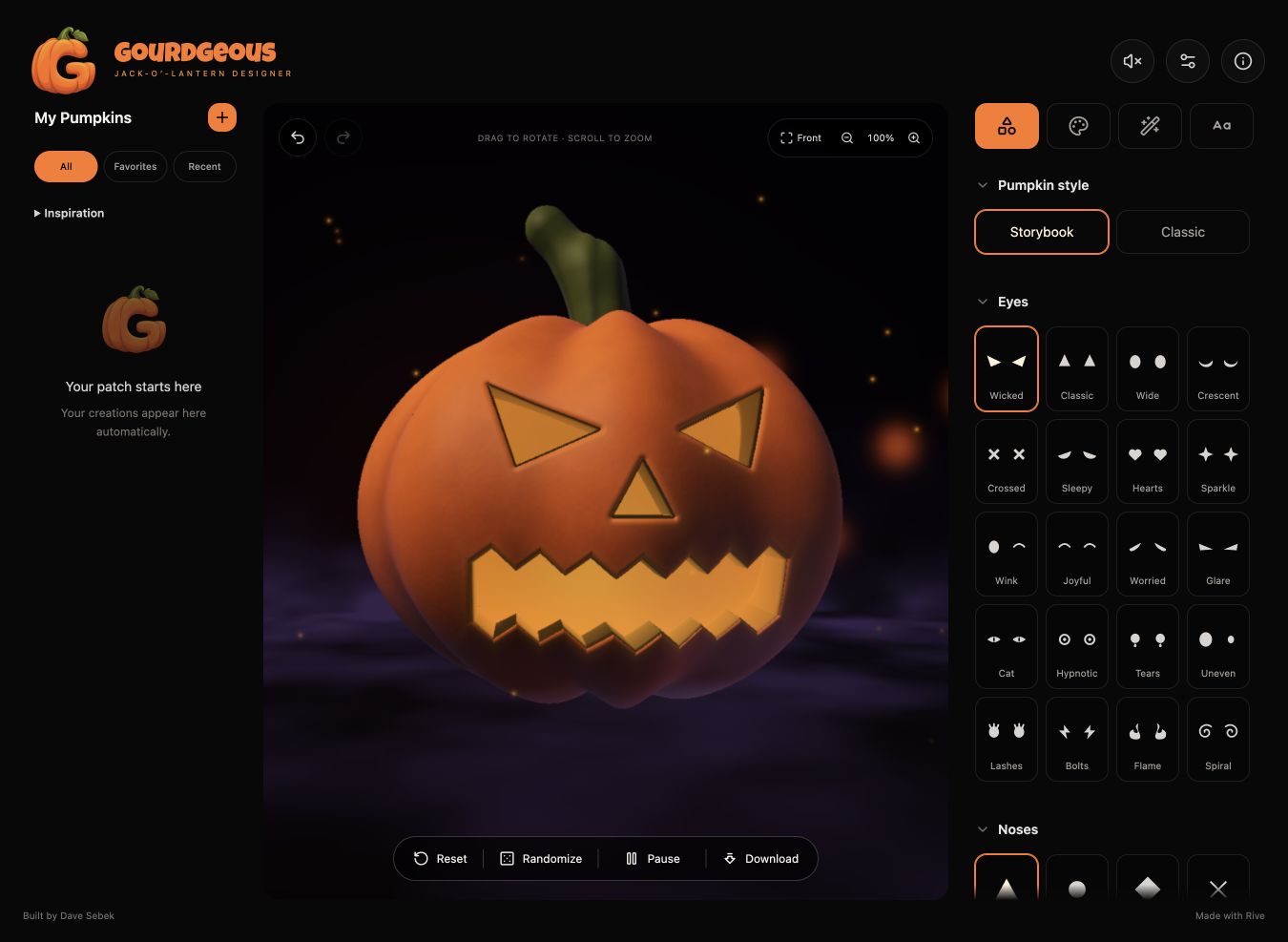
Building the pumpkin in a shader
The pumpkin is described mathematically in a WGSL shader. Its body, hollow interior, face openings, and stem come from functions that describe the surfaces. A ray marcher steps through the scene from the camera to find what each pixel should show.
The body starts with a rounded shape, flattened slightly and modulated around its circumference to create lobes. Subtracting an inner volume creates a shell with thickness. The eyes, nose, and mouth are two-dimensional shapes extended through the front of that shell. Subtracting those shapes produces openings with cut walls. The stem is assembled from rounded segments.
When you turn the pumpkin, you can see the cut walls and the interior through the openings. Selecting a new mouth changes the shape used by the shader immediately, without loading a separate model.
The editor offers 20 eye options, 12 noses, and 18 mouths, giving 4,320 combinations before changing any colors or effects. Twenty complete face presets provide starting points. Randomize changes only the face parts, so it preserves the style, colors, and atmosphere someone has already chosen.
I kept the editor to a single pumpkin with fixed positions for the face stamps. It doesn’t support freehand carving or multiple objects in the scene.
Connecting the editor to Rive

The scene has three source files with distinct responsibilities. RML declares the artboard, View Model, and state machine. Luau handles camera interaction, animation time, and the values passed into the GPU. WGSL draws the scene.
The View Model is the shared set of properties that connects the web editor to the Rive scene. When a user picks a color or changes the mist amount, React updates the corresponding property. Luau reads those values and writes a uniform buffer, the block of parameters the shader uses for the next frame. The state machine controls the initial ignition and the light’s reaction to design changes.
Only the pumpkin you’re editing is rendered live, in a single mounted GPU scene. Saved pumpkins use static thumbnails, so opening your patch doesn’t start a separate renderer for every card.
I used the Rive CLI to preview the scene while working on it and build the signed asset for the website. I also kept a copy of the scene in the Rive Editor, checking the downloaded Luau and WGSL against the local files after syncing.
Finding the Storybook look
The early pumpkin worked, but I wanted it to feel more cartoon-like. My direction was to move away from the look of a plastic sculpture while keeping the existing version available.
That became the Storybook style. Its lobes are softer and slightly uneven, the body is broader, the stem transitions are smoother, and the carved edges are rounded. The lighting is more diffuse, with warm light spilling around the openings. The earlier version remains available as Classic. Storybook became the default.
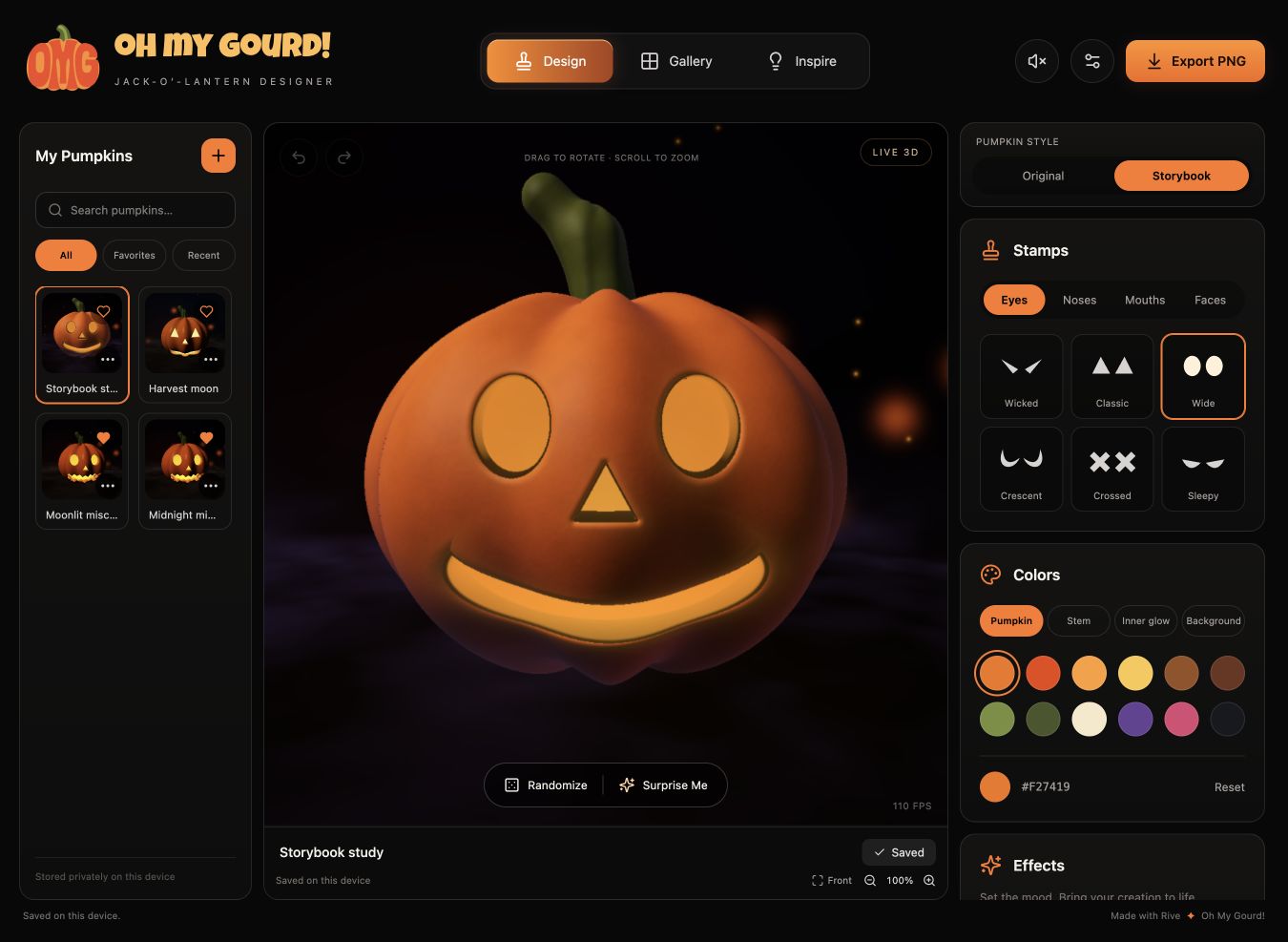
Initially, the pumpkin’s paint color affected the inside as well. A white pumpkin made the problem obvious: its light-colored interior washed out the glow.
The shader now distinguishes painted skin, stem, cavity, and cut walls. The cavity and cut walls use a dark charcoal material lit by the chosen inner glow. Changing the outside paint no longer recolors the inside. I also asked for the rear lighting to take its color from the background instead of leaving a persistent orange cast on the back.
I replaced the mockup’s colors with twelve named swatches shared across pumpkin, stem, and glow, with matching dark variants for the background. Custom color controls are still available.
Making light and motion behave
Candle flicker could dim until the pumpkin looked unlit, especially at full strength. I asked for it to stay visibly burning. The shader combines several oscillations and gives the flame signal a floor, preserving variation without letting that signal reach zero.
Mist and embers have independent controls for amount and speed. They provide movement around the pumpkin, while Pause holds the scene at a chosen moment. Pausing doesn’t disable the editor or camera, so you can still change the composition before exporting it.
The web interface needed its own motion treatment. Stamp cards and palette chips drop into place using anime.js. The first attempt looked like a fade and filled from the top down. I pointed out that falling objects would fill from the bottom up. The revised sequence drops and settles the lower items first, with a fade near the top of each section to soften their entrance.
For dragging and zooming, Luau uses damped easing to follow the user’s hand without bouncing past the target. Wheel input updates Rive directly, with React recording the camera target afterward so an older state update doesn’t pull the view backward. Camera movements are kept out of design undo history.
Reduce motion skips the panel entrances and camera easing, and pauses shader time and animation reactions. It applies to the scene as well as the surrounding controls.
Cutting an effect that cost too much
Lantern beams were an experiment in projecting light through the carved face into the surrounding atmosphere. They looked promising, but visible bands led to further rendering work. After those changes, interaction became noticeably slower in the preview. I asked to disable the effect.
The beam implementation and saved settings remain in the project, but the current editor and renderer disable it. Mist, embers, and candle flicker remain available.
Standard preview quality renders the GPU scene at 640 pixels on its longest edge, while High uses 1024. Both export a 2048 × 2048 PNG.
Saving the design and exporting the scene
Gourdgeous has no account service or backend. Designs and thumbnails are stored in IndexedDB in the browser. Edits autosave after a short pause, and switching pumpkins waits for pending saves. A failed save offers a retry, and the page warns before closing while edits haven’t been saved. Clearing the browser’s site data removes the patch.
Undo and redo follow design actions. A slider drag becomes a single history entry, and Randomize is one undoable edit. That keeps the history useful when someone is trying different faces or adjusting a color.
Export required more care than taking a screenshot of the visible preview. The app freezes scene animation, temporarily resizes the same GPU canvas and artboard to a 2048-pixel square, draws a fresh frame, and captures it immediately after Rive flushes the frame. A temporary image holds the rectangular preview on screen during that work. The export path then restores the preview dimensions and previous frozen state, including when capture fails.
Thumbnails use a lighter path. They copy a centered square from a freshly drawn frame into a 256-pixel image without resizing the live canvas.
Optional message text is drawn on a separate 2D canvas and composited into the exported PNG. The preview and export share text-layout code, so the same line can shrink to fit in either place. Keeping text in that layer gave it ordinary font rendering without adding lettering to the procedural carving shader.
Before release, I fixed several problems with saves and export. Renaming or favoriting from an older browser tab could overwrite newer design edits, certain Unicode separators could block autosave, color-picker input could flood undo history, and a resize during export could restore the wrong preview dimensions.
Make a pumpkin
Once you have a face you like, you can turn the pumpkin, adjust the light, and pause the scene to choose the image you want to keep. The PNG can include a message, while the editable design stays in your browser’s pumpkin patch for another visit.
You can make your own at gourdgeous.art.
- Creative tools
- Rive
- Procedural graphics
- Art direction
- Interaction design